


Steps to Become a CCSF Student (Credit/Noncredit)

City College is fast becoming the first choice to start higher education, take classes to advance careers and/or explore personal interests and hobbies. No matter the goal, we are excited to have you join our vibrant community.
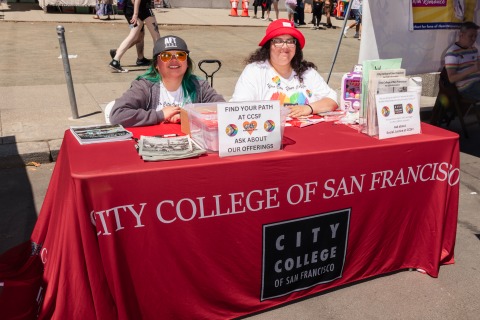
How you start at City College depends on who you are and what you want to do. 

Get Started

CCCApply ID.me Verification

CCCApply integrates identity verification through ID.me. ID.me will help protect student identities and prevent fraudulent students from taking seats in classes at CCSF.  Although it is currently optional, to prevent any unnecessary delays with the processing of your application, it is strongly recommended that you complete the ID.me profile in the application process.

Benefits to Students:

  • Protects student identities.
  • Streamlines student enrollment and financial aid disbursements.
  • Helps prevent bad actors from stealing seats online.

The following students will not be able to use ID.me:

  • No valid identity documentation from country of origin
  • No permanent address (housing insecure/homeless)
  • No internet access or a smartphone (incarcerated)
  • Minors (under the age of 18)

For students who cannot use ID.me, click on “Verify Later” to skip the ID.me verification process.

Students who are unable to use ID.me can verify their ID in person by visiting the Admissions & Records Office, Registration Center, Noncredit Admissions Office, or the Office of Financial Aid during business hours.  To view the Admissions & Records/Registration office hours, please visit the Admissions & Records/Registration page. For Financial Aid office hours, please visit the Financial Aid Office page.

Acceptable Documents for Identity Verification:
For us to verify your identity, you must provide two documents:

  • One Photo Identification - For example: State identification (ID) card, Driver license, Permanent Resident Card, Passport, or Employment Authorization Document

ID.me is the quickest and safest option to verify your identity, so we highly encourage all students to use this expedited process.

For assistance with ID.me, please contact the CCCApply Help Desk.

All new students to CCSF are required to participate in a New Student Orientation. The orientation introduces you to essential programs, services and information to better prepare you before your first semester.

Start Your Orientation

New students may receive an earlier registration date by completing Step 3, 4, & 5. Review the Exemption Form for exceptions.

City College no longer offers English and Math placement tests. Instead, you may use one of the following ways to get your English/ESL and Math Course Placement:

You will automatically receive a transfer-level English and Math placement as part of your CCSF application process. For more information, please visit our Equitable Course Placement (AB 705) web page.

  • Credit ESL Guided Placement Tool.
  • If you have completed previous college-level English and/or math coursework or have taken certain tests (AP, SAT, ACT, etc.), please submit an All-in-One Assessment Form. 
  • City College has established prerequisites and corequisites to ensure that students have the skill level necessary to succeed in a course. If you wish to challenge a course prerequisite, please submit the Prerequisite Challenge Form. You may also use the same form to challenge any course prerequisite that is not an English or Math course.

Please submit appropriate forms and supporting documents to the Assessment Center by:

  1. Schedule a counseling appointment or drop-in session with Counseling Services
  2. During the counseling session, you will create a Student Education Plan (SEP).  A Student Education Plan (SEP) is a semester by semester map of the course you need to complete in order to achieve your educational goal at CCSF.
  3. Undecided on your career/educational goals and interested in meeting with a Career Counselor first? Set up an appointment at the Career Center.
  4. Transferring coursework from another college you attended prior to CCSF?  If yes, bring an official/unofficial copy of your transcript to your counselor for review to get your educational plan started. 

Note: Ask about the Transcript Evaluation Process if you plan to obtain an Associate Degree from CCSF.

CCSF offers a variety of Federal and State financial aid programs; including grants, fee waivers, work-study, scholarships, and loans.

How to Register

You will be assigned a registration date and time. On or after that date, you can add classes for the upcoming semester in your myRAM portal.

Prior to registering, you can also use the myRAM Schedule Planner to create schedule that aligns with both your academic and non-academic life

Please refer to the Registration Page for instructions on Registration using the myRAM Portal.

How to Register

Add/Drop Procedure

After the semester begins, you can continue to add or drop classes using our Add/Drop Procedure.

Learn more About the Add/Drop Procedure

Fee payments can be made through your myRAM Portal under Student Account. Payment may be made with cash. cashier's check, money order, credit card (Visa, MasterCard, American Express and Discover) or first-party personal checks (for the exact amount owed) will be accepted as payment. You may also sign up for a payment plan through Nelnet Business Solutions e-cashier. A valid ID use be presented for in-person payment. Please visit Tuition and Fees for fee information

More about Tuition & Fees

Student Support Programs are here to help you reach your academic and personal goals! 

Student Government

Serve on the student council or one of the college's participatory governance committees! Learn how the college is run and make sure the student's voice is heard!

Learn More

Student Clubs

CCSF student life includes a variety of clubs which rally around everything from academics, art, culture, social causes, sports, hobbies, etc. Clubs provide an opportunity for students to meet people and build community, to help each other be successful.  Students join and form clubs to share common interests, work on common goals and have fun!

Learn More

Student Resource Centers & Programs: Find Your Community

City College offers many, academic, financial, health and support services to help you succeed here and beyond. 

Learn More

CCSF booth
High School Students
Whether you're looking to get a jump start on college, earn college credit while earning high school credit, or makeup high school credit, our High School programs offer on- and off-campus classes to help you reach your goals.

test
International Students
Study at one of the leading and most diverse community colleges in the country, in a world-class city, alongside students from all over the world. Earn a degree, study English, prepare to transfer — no matter the goal, CCSF has something for you.

CCSF booth
Visit the Campus
CCSF offers many ways to explore our multiple locations throughout San Francisco. Each option provides an opportunity to learn more about CCSF’s programs and services and the student experience.

Computer Lab
How Do I Add/Drop Classes?
Every term you are an active student, you will be assigned a date and time to register before the semester begins. On or after that date through the first date of instruction for the term, you can log on to your myRAM Portal and add classes.

 Note: If you have not received an admissions email with your CCSF student ID number within 24 hours, please click the link below.

                                  I have applied, but have not received my CCSF ID #