Vision Resource Center (VRC)
Since July 1, 2020, the Vision Resource Center (VRC) has become CCSF’s hub for professional development, including registering and documenting all things FLEX.
City College of San Francisco has joined over 100 other fully integrated California Community Colleges who are using the system-wide Vision Resource Center for offering, tracking, and reporting professional development, as well as providing a powerful tool to allow for colleagues to learn together, share information, and collaborate.
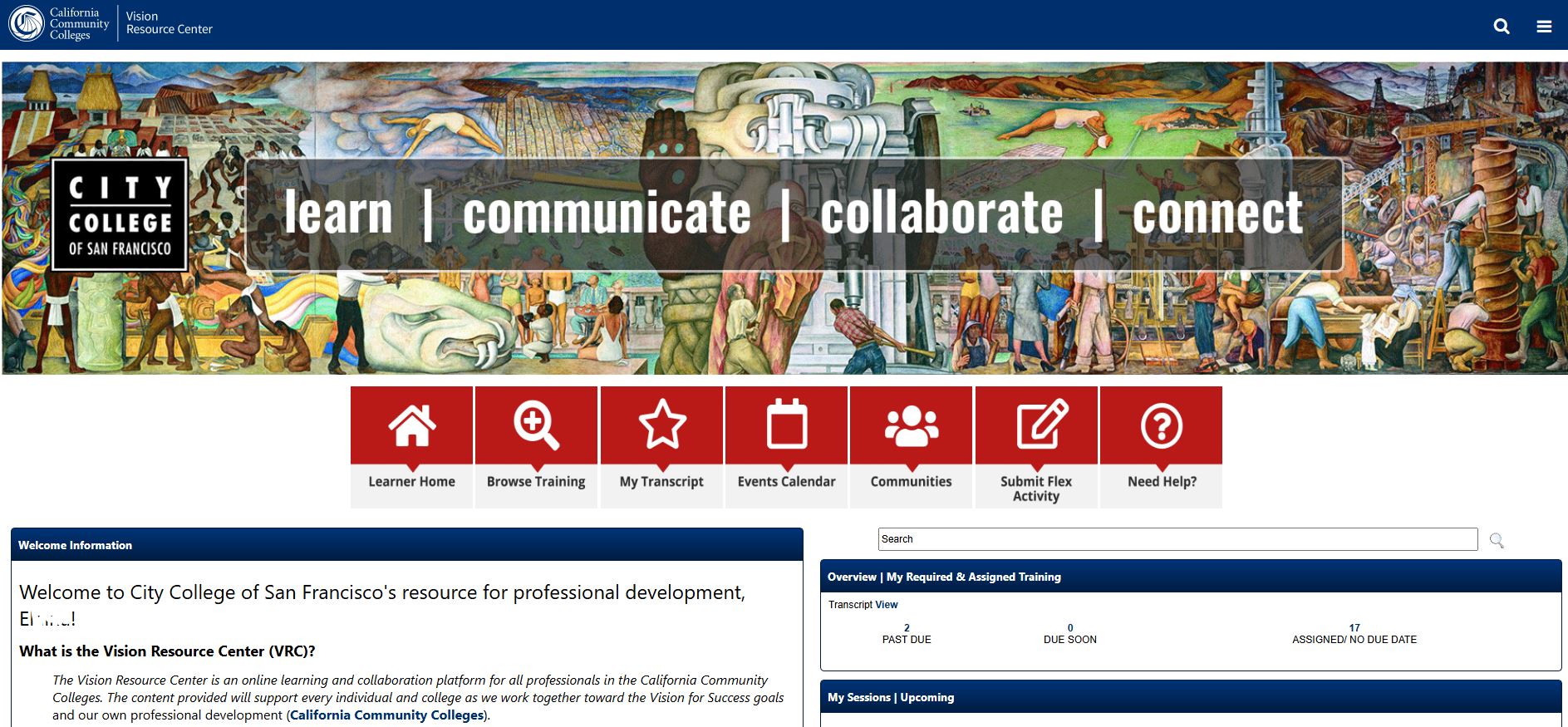
- Access to thousands of training videos curated specifically for public sector employees
- Register for PD events and track/report Flex credits on the VRC!
- Access to an Events Calendar that allows you to view and register for available CCSF and California Community College sponsored events
- Access to Connect Communities provide us a forum to share, learn, and collaborate with our colleagues statewide and within CCSF
-
Access the VRC today!
-
New to the VRC?
- Sign in to your myCCSF portal
- Select the tile labeled Vision Resource Center- Professional Development
If you experience issues with logging-in, please contact ITS at [email protected].
Start here for an overview and short introduction video!
- Quick guides provided by CCC
- Getting Started Videos (created July 2020): this curriculum covers the welcome page, your learning profile, your VRC learner transcript, and how to join a community.
Note: These videos were created when the system was first implemented in July 2020. Due to updates in Cornerstone, some information may now be outdated. However, most of the content remains relevant and will help you become familiar with the system. For the most current instructions, please refer to the VRC Resource Guides in the sidebar.
All employees will register for All-College FLEX morning plenaries and workshops they wish to attend through the VRC. By doing so, you’ll secure your seat, have documentation of your registration in your VRC transcript, and receive FLEX credit once attendance is recorded by the presenter or host!
It's simple— either select Register here next to the event on the Flex Day schedule -OR- log in to the VRC, review the Events Calendar for available events, then select Register ones you wish to attend.
Review the VRC Comprehensive Guide for all things VRC (ref: "Register for PD Events & Workshops").
Reminder: On the VRC, you can easily access online professional development (hundreds of learning modules curated specifically for public sector employees), connect with other staff statewide through the Connect Communities forum, and view/register for available CCSF AND CCC events. Furthermore, your welcome page will have PD information most relevant to you, and you'll be able to customize your recommended learning by selecting topics that most interest you! See the VRC Comprehensive Guide for step-by-step instructions and more information.